Kids Offline Preschool Games
Kidzooly - Kids Games, Rhymes , Nursery Songs.Educational
4.2101.00 Reviews
- Version
- 1.65
- Installs
- 1.00M
- Age Rating
- Everyone
Screenshots
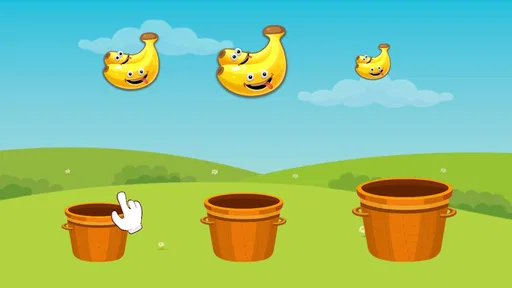
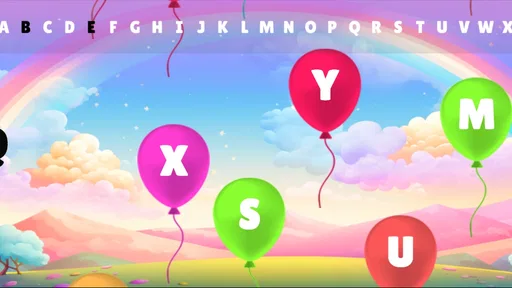
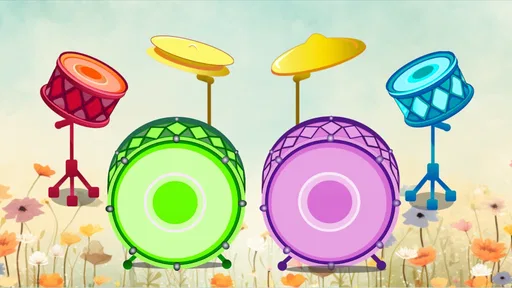
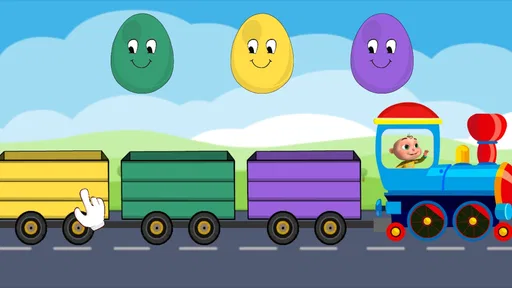

Our Review of Kids Offline Preschool Games
 Analysis by Appyee
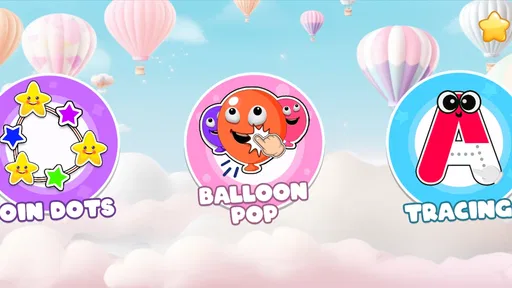
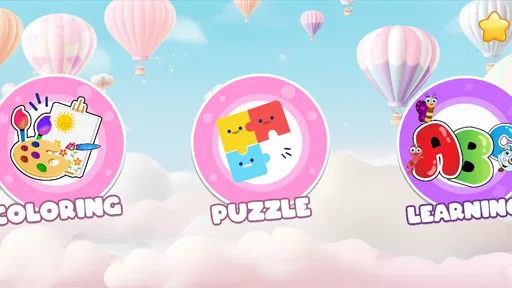
Kids Offline Preschool Games is the kind of educational game I would consider for a young child who needs short, simple activities rather than a complicated learning platform. I found its mix of preschool games, tracing, coloring, and other child-friendly exercises easy to understand, with an emphasis on using the device independently for small stretches of time. It is free to start, aimed at Everyone, and made by Kidzooly - Kids Games, Rhymes , Nursery Songs.
My overall impression is positive but measured. This is not an app I would hand to a child and forget about completely. It works best when an adult chooses the right activities, sets a reasonable routine, and checks how much of the content is available without payment. The offline focus is especially useful for travel, waiting rooms, or a tablet kept in a quiet corner of the home, while the educational category makes it more purposeful than a random collection of arcade distractions.
How the learning experience feels in everyday use
The main strength is its approachable format. Preschool children often respond better to a clear visual task than to a long explanation, and activities such as tracing and coloring give them something they can begin immediately. I like this style because it lets a child practice hand control and recognition without making the experience feel like a formal lesson.
A realistic use case would be a short morning activity before school. I would sit with a child for the first few minutes, select one tracing or coloring task, and then let the child try it alone. That routine is more useful than opening the game whenever the child is bored, because it turns the app into a small practice session instead of an endless source of screen time.
The offline design also changes where the game is practical. A parent can prepare it before a flight, a long car journey, or an appointment and avoid depending on a live connection while the child plays. I would still test the activities in advance, because “offline” is most helpful when the needed content has already been opened and is ready to use.
What I appreciate most is the range of activity types implied by the title and presentation. Tracing can support early pencil-control habits, coloring encourages deliberate movement, and preschool games can provide variety when a child loses interest in repetition. These are modest goals, but they are appropriate ones for a young learner. I would not treat the app as a replacement for books, conversation, physical toys, or teacher-guided practice.
Small sessions work better than unrestricted play
In my experience, the best way to use a preschool game is to keep the session focused. Rather than allowing a child to jump randomly from one activity to another, I would give a simple choice: tracing first, then coloring, or one game followed by a break. This makes it easier to notice whether the child is actually practicing a skill or merely tapping through screens.
One useful approach is to connect the digital activity with something away from the device. After a tracing exercise, a child could copy a shape on paper. After coloring, the same colors could be found in a room or used with crayons. That extra step matters because it shows whether the activity is helping the child transfer an idea into real-world movement, rather than simply rewarding quick touches.
I would also avoid correcting every imperfect line. Preschool children need room to experiment, and an adult who constantly takes over can turn a relaxed game into a test. The app is more valuable when it starts a conversation: “What are you drawing?” or “Which color would you choose?” That kind of interaction adds something a screen alone cannot provide.
Progress without turning preschool into a competition
Educational games can create pressure when they make children chase scores, speed, or repeated rewards. My preference here is to focus on completion and effort instead of performance. If a child finishes a tracing activity with uneven lines, I would praise the attempt and invite another try later rather than treating the result as a failure.
Parents should watch for a child who keeps repeating the easiest activity while avoiding anything more demanding. That is a common pattern with touch-screen games: familiar actions feel rewarding, while slower tasks are abandoned. A simple rotation helps. I would offer one comfortable activity, one that requires concentration, and then stop before frustration takes over.
The game’s free starting point may also affect how families think about progress. If some activities are available without spending and others require an in-app purchase, a child may naturally return to the open material. That is not necessarily a problem, but adults should decide whether the free selection is enough for their routine instead of allowing the child to encounter a purchase prompt and make the decision alone.
There is no good reason to connect learning with pressure to buy. If a child enjoys the available tracing and coloring activities, use those as a complete short session. If the experience becomes repetitive, first try pairing it with paper, blocks, or a storybook. Paying should be a deliberate family choice, not the automatic solution to boredom.
What spending looks like for a family
The game is free, with in-app purchases listed at $3.49 per item. That gives it a low-risk entry point: I can install it, see whether a child understands the controls, and decide whether the available activities fit our needs before spending anything. The important practical step is to review the purchase screen personally and keep buying under adult control.
I would not describe the purchase model as a reason to avoid the game, but I would treat it as part of the setup. Before giving a child access, I would open the app, inspect which activities are usable at no cost, and note where a purchase is requested. This prevents an awkward interruption during a trip or a lesson and makes the spending decision based on actual use rather than a child’s immediate excitement.
Families should also ask what they want their money to achieve. If the goal is occasional entertainment during travel, the free portion may be sufficient. If the child uses the same activities regularly and the additional material clearly supports a preferred routine, an individual purchase may be reasonable. I would judge that by repeated usefulness, not by the number of locked icons visible on the screen.
Because the listed price is per item, the total cost depends on how many purchases a family chooses. I would therefore avoid assuming that one payment unlocks everything. The safest habit is to read each purchase prompt carefully and confirm what that particular item provides before approving it. That is a small step, but it keeps expectations clear.
Fairness and the absence of competitive pressure
This is a single-child preschool learning experience, not a game built around online rankings or player-versus-player competition. That makes fairness easier to think about. A child’s progress does not need to be compared with another child’s score, and there is no reason to spend money to keep up with classmates or strangers.
For younger children, that is a meaningful advantage. Competitive systems can make a simple learning task feel like a race, especially when a child does not yet understand why another player appears to be better. Here, I would frame success as trying, recognizing, tracing, and creating, not winning against someone else.
There is still a different kind of fairness question: whether paid content changes the amount of variety available. Since purchases are optional and charged per item, families using only the free material may have a different selection from families willing to buy more. That difference is worth discussing at home, but it is not the same as a competitive disadvantage. No child needs to purchase an item to defeat another player.
I also think fairness includes accessibility in the everyday sense. A child who is still developing fine motor control may need more time with tracing than a confident tablet user. Adults should not compare the child’s results with screenshots, siblings, or older preschoolers. The app should be one tool for practice, with expectations adjusted to the individual child.
Where it fits beside familiar alternatives
Compared with paper worksheets, the game offers immediate interaction and easier variety. A child can try a tracing or coloring task without preparing a table full of materials, and the device is convenient when the family is away from home. Paper still wins when the goal is building physical pencil habits, because a finger sliding on glass does not feel the same as holding a crayon or pencil.
Compared with video-based learning, this format appears more hands-on. A child is expected to touch, trace, or make choices rather than only watch. That can be a better fit for a short activity, although parents should still check whether the child is actively doing something or simply moving rapidly through prompts.
Compared with a full preschool curriculum app, Kids Offline Preschool Games feels more like a collection of accessible activities than a structured teaching program. I would choose it for variety, convenience, and offline use. I would choose a more systematic alternative when I needed clearly sequenced lessons, detailed progress tracking, or a curriculum tied to a particular educational goal.
Compared with traditional toys, it is more portable but less tactile. Blocks, puzzles, play dough, and coloring books develop skills through physical resistance and three-dimensional movement. The app is strongest as a supplement, especially during situations where those materials are inconvenient, not as the only learning environment a child receives.
Questions I would settle before installing it
Parents often want to know whether a young child can use the game alone. I would say: partly, after an adult has introduced it. The activities are designed for preschool use, but independent play depends on the child’s age, reading ability, attention span, and familiarity with touch controls. I would supervise the first session and then decide how much freedom is appropriate.
Another practical question is whether it is suitable for a trip without internet access. Its offline positioning makes it a sensible candidate, but I would prepare before leaving home. Open the app, test the chosen activities, and confirm that the child can reach them without a connection. This simple check is more reliable than waiting until the device is already in airplane mode.
Parents may also wonder whether purchases are necessary. They are not necessary to begin, since the game is free to install. I would use the free material first and only consider spending if the child returns to the app often and the paid item would solve a specific need, such as adding variety to a repeated travel routine.
Another question is whether this is enough for school readiness. In my view, no single preschool game is enough. This one can support short practice with tracing, coloring, and basic game interaction, but school readiness also involves listening, speaking, sharing, physical coordination, following instructions, and handling real objects. I would place it alongside reading aloud, drawing on paper, outdoor play, and ordinary family conversation.
Finally, I would ask whether it suits an older child. The Everyone rating and preschool focus point toward young learners, so an older child who wants challenging puzzles, longer stories, or advanced academic practice may outgrow it quickly. In that situation, a more age-specific educational app would be a better choice than expecting this one to provide increasing difficulty forever.
Details that matter during setup
The game was released on Apr 12, 2018, and its current version is 1.65. It requires Android 8.0 or later, so compatibility should be checked before planning to use it on an older device. I would also leave enough time for installation and testing, particularly if the app is being prepared for a journey where there will be no convenient opportunity to troubleshoot.
Its audience positioning is clear: this is a free educational game for children, with a preschool emphasis and Everyone content rating. That clarity helps parents decide quickly whether the basic concept is appropriate. It does not mean every activity will suit every child equally; temperament and developmental stage still matter more than the label.
The app has reached over 1 million installs, with a 4.2 average from around 4.1 thousand ratings and 101 written reviews. Those figures suggest that many families have tried it, but I would still treat popularity as a starting point rather than proof that it matches a particular child. A young learner who dislikes tracing may not enjoy it simply because many other families installed it.
I would keep the device’s role visible rather than handing it over as a background distraction. Turn down the volume if the child is in a shared space, sit nearby for the first few attempts, and use the activity as a prompt for talking and drawing. These habits make the offline feature more valuable because the app becomes part of a planned routine instead of a substitute for attention.
My trust verdict after weighing the trade-offs
My recommendation is cautious but positive: use it as a small, supervised preschool activity, not as a complete learning system. The combination of tracing, coloring, and games gives young children approachable ways to interact with early-learning ideas, while offline access makes it particularly convenient for travel and situations with unreliable connectivity.
I would recommend it most strongly to parents who want a free starting point, need something portable, and are comfortable checking the available activities before a child uses it. The per-item in-app purchases deserve adult attention, but the listed $3.49 price per item makes it possible to decide gradually rather than committing immediately to a large purchase.
I would skip it for a child who needs a carefully sequenced curriculum, extensive feedback for parents, advanced academic challenges, or a mainly physical learning experience. I would also skip it if the child becomes fixated on the screen or repeatedly asks to unlock content. In those cases, paper activities, physical toys, books, or a more structured educational option may serve the family better.
For the right situation, though, Kids Offline Preschool Games has a sensible place. I see it as a convenient activity box: useful when prepared thoughtfully, enjoyable in short sessions, and most effective when an adult connects what happens on the screen with drawing, speaking, movement, and play away from it.
Verdict
Strengths of Kids Offline Preschool Games
- Works without Wi‑Fi, ideal for travel or limited data plans.
- Simple controls are easy for preschoolers to understand independently.
- Covers several early-learning skills in one child-friendly app.
- Short activities suit young children’s limited attention spans.
- Offline access can make screen time more predictable for parents.
Limitations of Kids Offline Preschool Games
- Some activities may feel repetitive after extended play sessions.
- Educational depth may be limited for children ready for advanced challenges.
- Parents may need to guide children through unfamiliar game instructions.
- Device storage is required for the complete offline game package.
- Compatibility and performance may vary across older phones and tablets.
Similar Picks in This Category
View All
Little Panda Policeman
BabyBus4.0

Monster Trucks Game for Kids 2
Raz Games4.1

Little Panda's Chinese Recipes
BabyBus4.4

Little Panda's Restaurant
BabyBus4.4

Little Panda's Ice Cream Games
BabyBus4.3

Baby Panda Care
BabyBus3.8
Frequently Asked Questions
What is Kids Offline Preschool Games?
Kids Offline Preschool Games is an educational app designed for young children in the preschool and early learning stages. It typically combines simple, colorful activities with basic lessons covering subjects such as letters, numbers, shapes, colors, matching, memory, and problem-solving. The interface is made to be easy for children to understand, with large buttons and straightforward gameplay that encourages independent learning through play.
Can Kids Offline Preschool Games be used without an internet connection?
Yes, the main advantage of Kids Offline Preschool Games is that children can access its learning activities without a continuous internet connection. After the app has been installed, many of the games can be played offline, making it useful during travel, in areas with limited connectivity, or when parents want to reduce online access. Parents should still check whether updates or extra content require an internet connection.
What age group is Kids Offline Preschool Games suitable for?
The app is primarily intended for preschool children, generally around two to six years old, although the ideal age may depend on a child’s development and familiarity with educational games. Younger children can practice recognition, colors, and shapes, while older preschoolers may benefit from letter, number, counting, and memory activities. Parents should supervise play and choose activities appropriate to their child’s abilities.
What educational skills can children develop with this app?
Kids Offline Preschool Games can help children practice several early-learning skills in an entertaining format. Depending on the activities included, children may work on hand-eye coordination, concentration, visual recognition, memory, counting, alphabet familiarity, color identification, shape recognition, and basic logical thinking. The app should be viewed as a supplementary learning tool rather than a replacement for reading, conversation, creative play, or guidance from parents and teachers.
Is Kids Offline Preschool Games safe and easy for children to use?
The app is designed with young users in mind, using simple controls, bright visuals, and activities that generally do not require advanced reading skills. Its offline functionality can also limit exposure to online content while the child is playing. However, parents should review the app’s permissions, advertising policy, in-app purchase information, and privacy settings before handing it to a child, and supervision is recommended, especially during the first use.
Play our best games!


